
ListAgent Main Workspace Navigation and Quick Action Menus
Core Navigation & Listing Workflows
Create Listings
The Create Listings section is the primary entry point for converting raw product images into fully optimized marketplace listings. Instead of manually drafting individual titles, product descriptions, pricing rules, and item specifics for each channel, this workflow guides you through a streamlined four-stage pipeline: Upload → SKU Assignment → Generate → Review & Edit.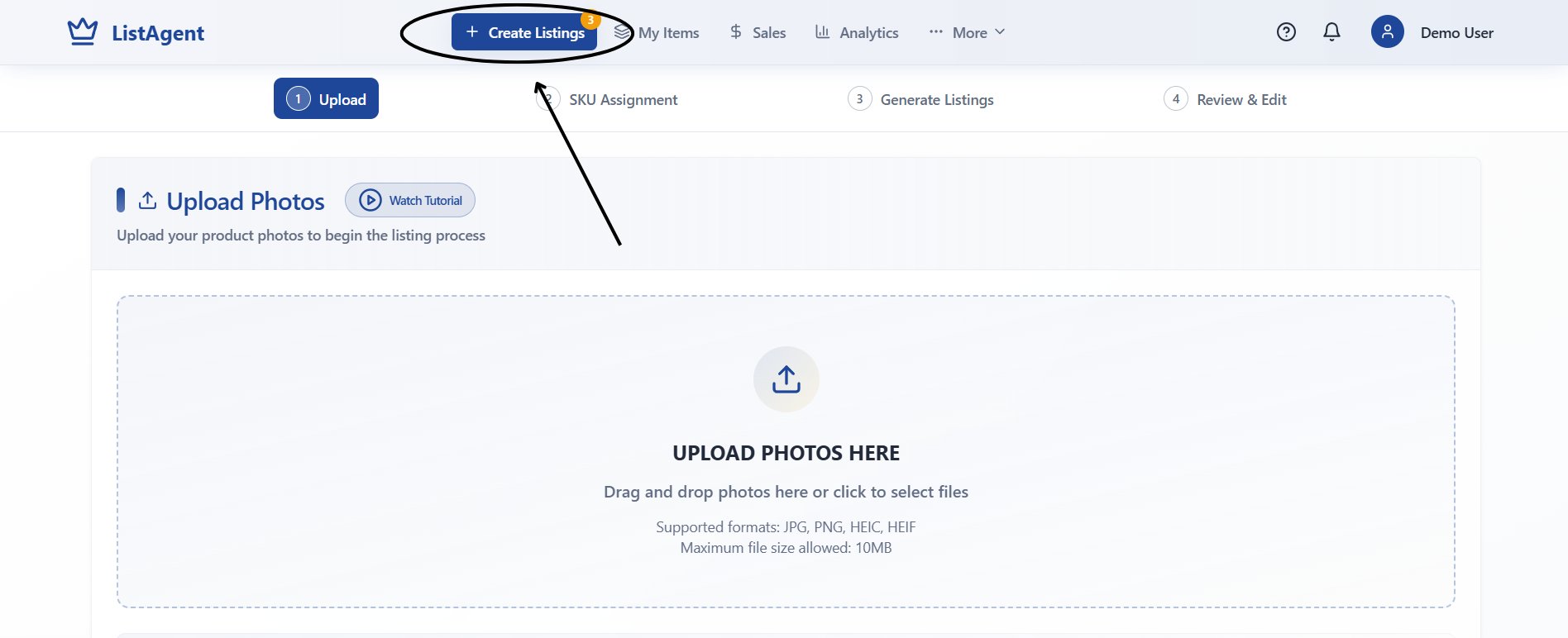
The 4-step listing generation pipeline: Upload, SKU Assignment, Generate Listings, and Review & Edit
When to use Create Listings:
- Uploading fresh inventory photos from your camera or computer.
- Grouping multi-angle shots into unique SKU packages.
- Triggering AI content generation for titles, bullet points, conditions, and category specifics.
- Reviewing AI recommendations and making manual refinements before multi-channel publishing.
My Items (Inventory Management)
The My Items view serves as your central catalog for all active, draft, and historical listings created in your account.
My Items inventory table featuring search filters, item statuses, and batch action toolbars
What you can do in My Items:
- Search & Filter: Quickly locate listings by SKU, keyword title, creation date, or marketplace status.
- Listing Maintenance: Edit live descriptions, adjust pricing, replace product photos, and modify item specifics.
- Inventory Control: Execute single or bulk actions, including price updates, AI transformations, delistings, and record removals.
Performance & Revenue Tracking
Sales Overview
The Sales section tracks your selling activity across all marketplaces where Sales Tracking has been enabled.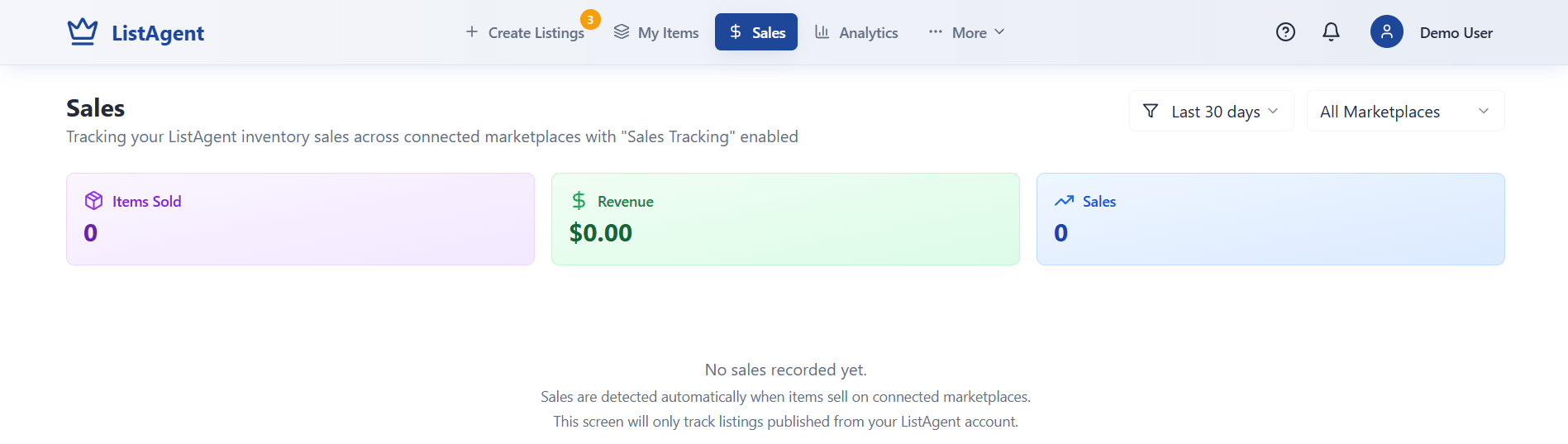
Sales tracking overview displaying total items sold, gross revenue, and order counts
- Automatic Sales Sync: As orders occur on connected platforms, ListAgent logs the sold item, updates your gross revenue, and increments your total order count.
- Manual “Mark Sold” Workflow: If an item sells outside connected channels (such as in-person or on an unlinked platform), you can manually mark it as sold to keep your sales analytics accurate and trigger cross-channel auto-delisting.
Performance Analytics
The Analytics area provides data on your listing throughput, automation efficiency, and team activity.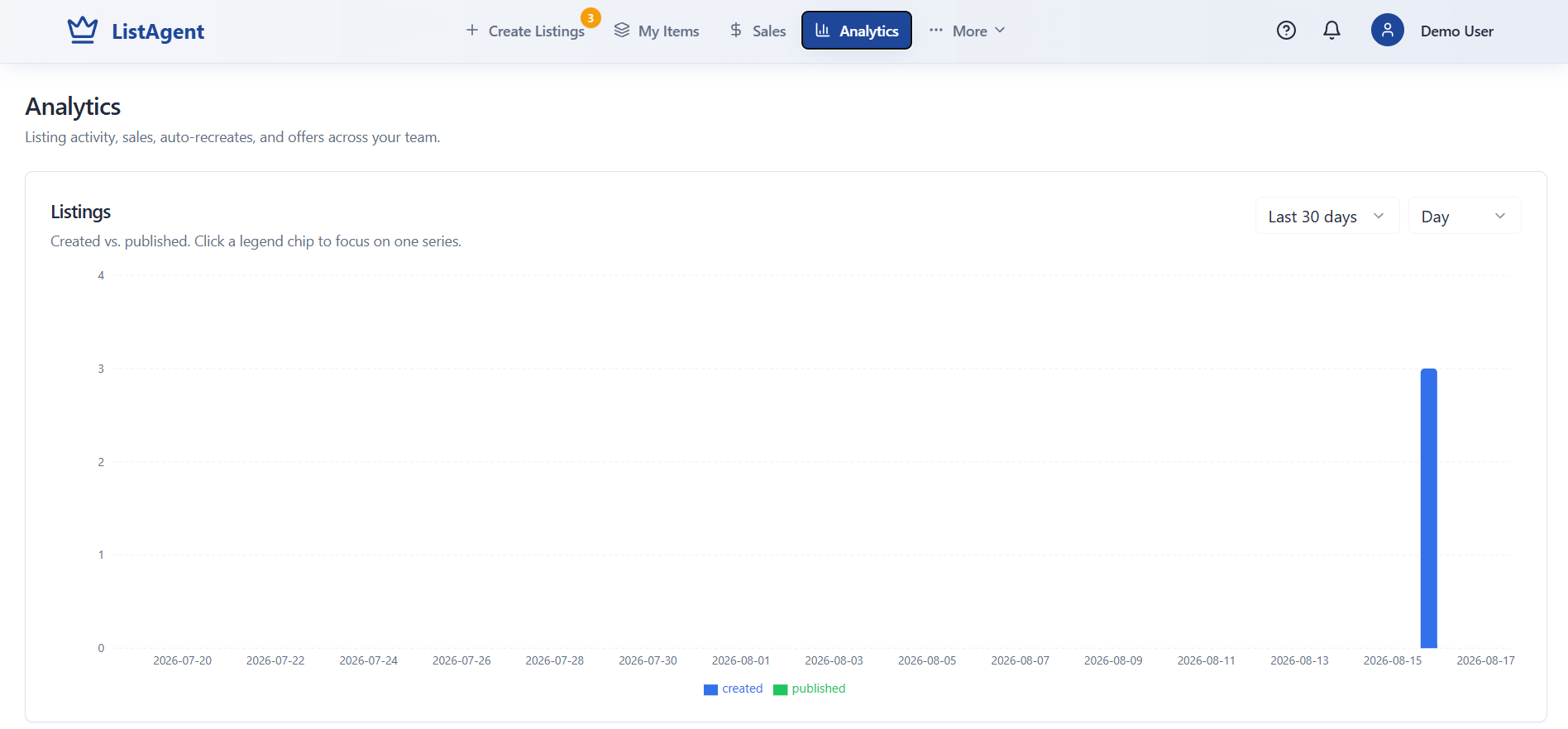
Listing production analytics showing created vs. published items over time
- Volume Metrics: Track how many listings your team created versus how many were successfully published to marketplace endpoints.
- Automation Auditing: Monitor the volume of automated listing recreations and buyer offers executed across your inventory.
Advanced Tools & Configuration
Access these additional tools by clicking the More dropdown menu in the top navigation bar.Listing Templates
Templates help standardize your listing workflows and maintain consistency across large product catalogs.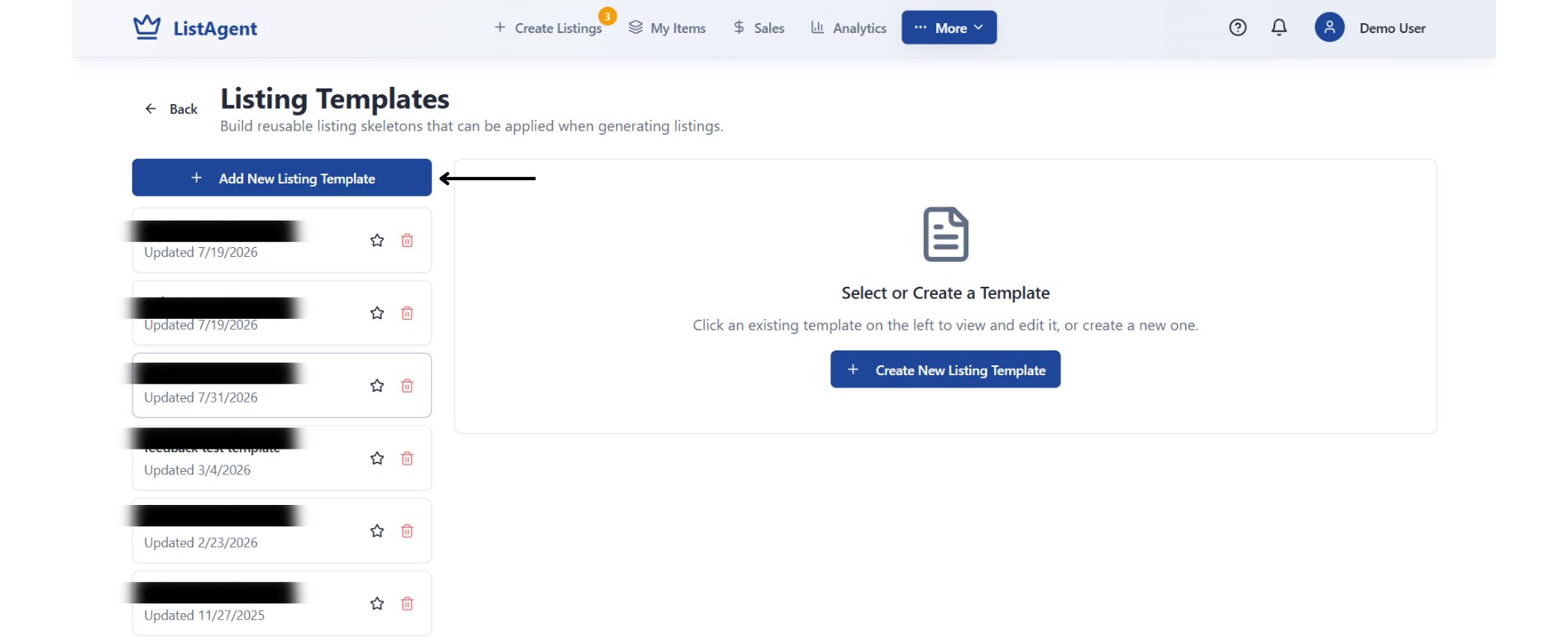
Listing Templates manager for creating and applying reusable formatting structures
- Save reusable listing skeletons with predefined shipping policies, category defaults, and boilerplate description sections.
- Apply saved templates during the Generate phase so newly created listings conform to your preset guidelines.
Custom AI Instructions
The Custom AI Instructions module allows you to train the listing engine on your exact brand voice, title conventions, and condition descriptions.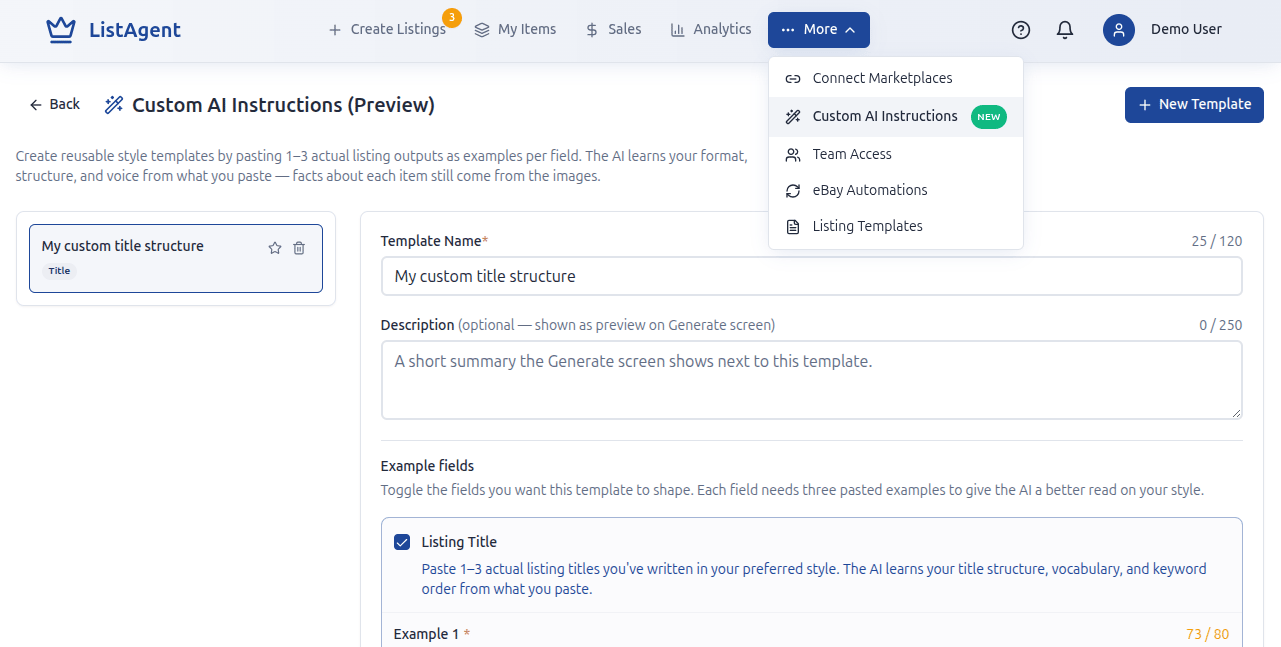
Custom AI Instruction builder with template names, summaries, and example fields
How to configure Custom AI:
- Provide a name and short summary for your template.
- Choose the fields you want to customize (Title, Description, or Condition Description).
- Paste 1–3 actual listing examples that represent your ideal formatting, keyword hierarchy, and tone.
- The AI learns your structure and writing style while pulling factual item details directly from your photos.
eBay Automations
The Automations panel lets you configure automated background tasks to keep your eBay inventory active and competitive.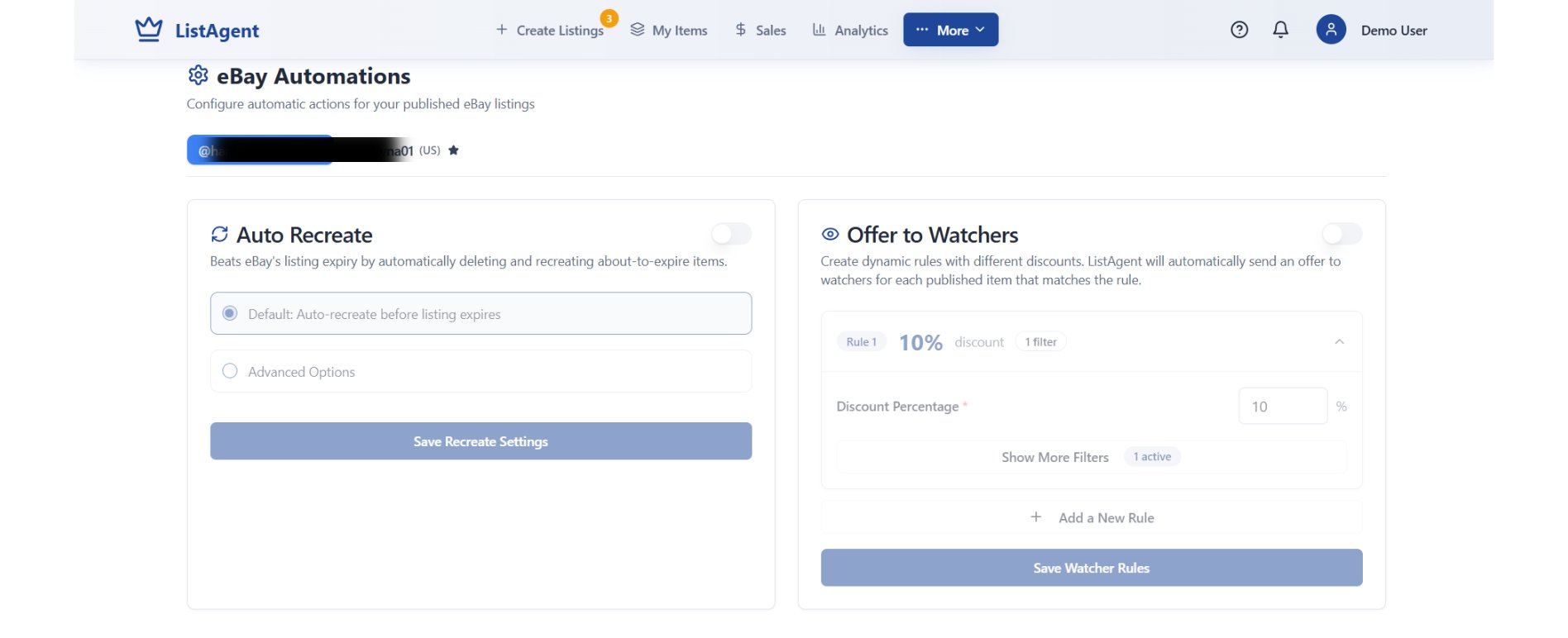
eBay Automation settings for Auto Recreate and dynamic Offer to Watchers rules
- Auto Recreate: Prevents listings from going stale or expiring by automatically ending and recreating listings before their cycle ends.
- Offer to Watchers: Set dynamic percentage discounts (e.g., 10% off) with custom filters to automatically send offers to prospective buyers watching your items.
Marketplace Connections
Manage external marketplace links, verify API credentials, and monitor connection health.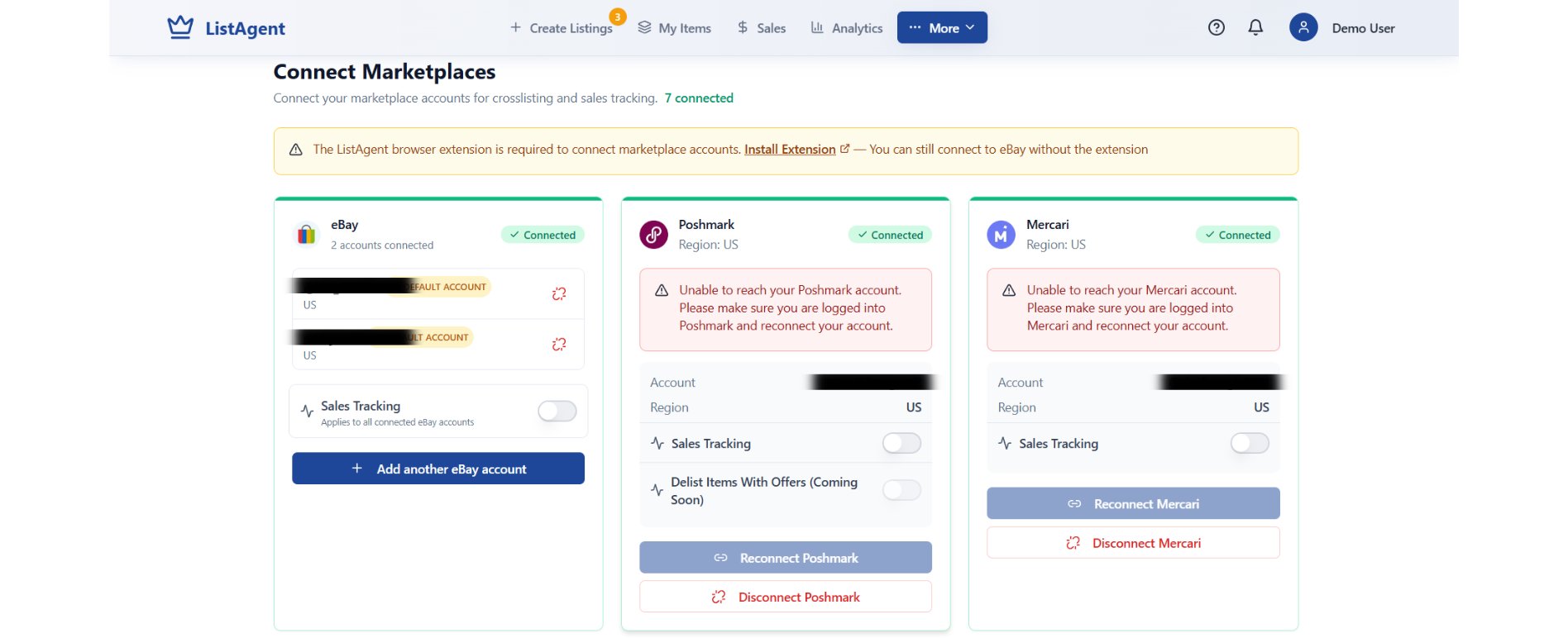
Marketplace Connection status cards for direct integrations and Chrome extension channels
- Direct API Connections: Manage direct server-to-server connections (such as eBay).
- Browser Extension Channels: Connect platforms supported by the ListAgent Chrome Extension (Poshmark, Mercari, Depop, Grailed, and Whatnot).
- Connection Health Checks: Monitor warning badges to identify accounts requiring re-authentication.
Teams & Account Settings
Team Management
Collaborate with staff or virtual assistants by sharing listing assets and connected selling channels.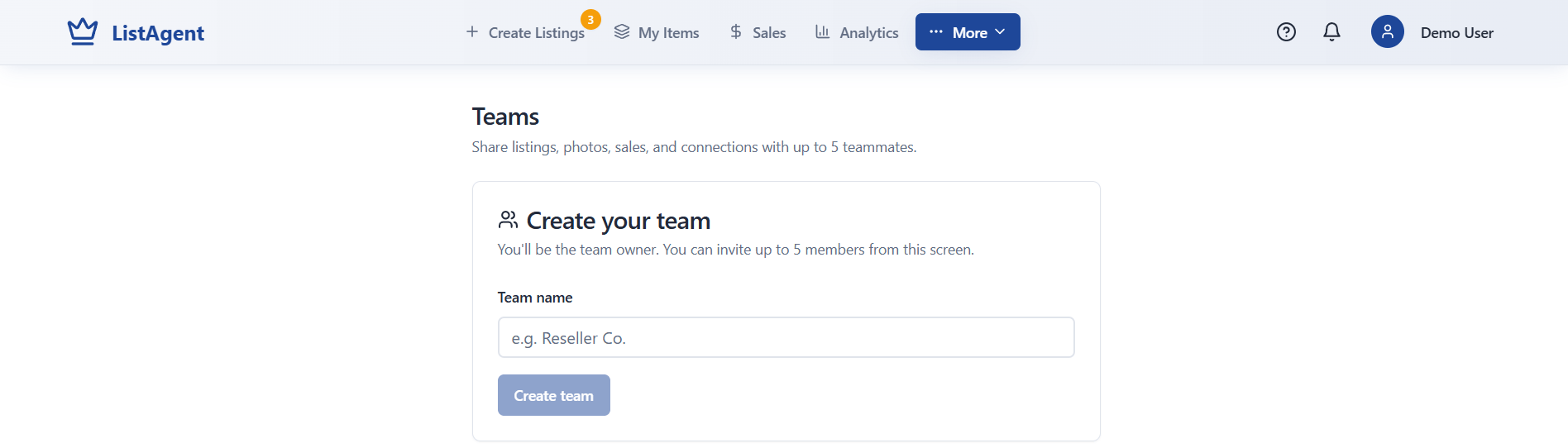
Team collaboration setup for inviting up to 5 teammates
- Create a workspace team and invite up to 5 team members.
- Share inventory catalogs, photo libraries, sales reports, and marketplace credentials across your organization.
Profile & Account Settings
Click your profile avatar in the upper-right corner to open your account settings.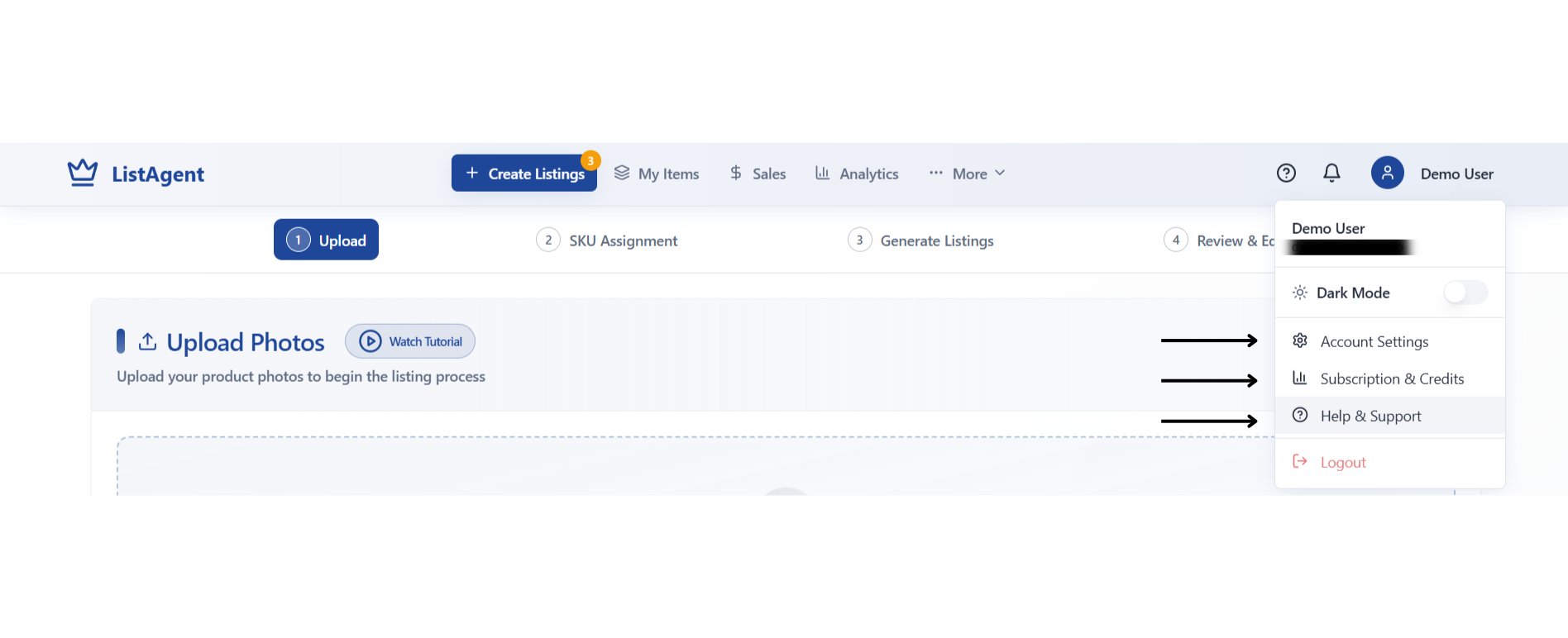
User profile dropdown menu with direct links to settings, subscriptions, and support
- Account Settings: Configure business details, default inventory fulfillment locations, and security policies.
- Subscription & Credits: Track your monthly AI generation credits, view billing cycles, and manage plan tiers.
- Help & Support: Access official documentation, troubleshooting articles, and customer support channels.